
Fields in Chippewa County Property Tax Records
Chippewa County publishes its tax search through a Catalis portal, and the county's instructions allow a public lookup by parcel number, owner name, or address. The exact fields on a live parcel card vary from one account to the next. Confirmed account details and fields that may differ are separated in the table. Leave any blank or missing field blank in your notes.
| Field | What It Shows | Where |
|---|---|---|
| Parcel / property number | Tax account key used to select a parcel | Catalis guest portal |
| Owner and address | Owner/taxpayer, situs, and mailing fields if displayed | Catalis; exact live labels unverified |
| Assessment value | Value used in the local assessment system | Municipal assessor and tax record |
| Tax items and status | Current tax items, amount due, or payment status if shown | County Treasurer portal |
| Tax district | Jurisdiction context for the parcel and its tax account | Catalis result, if present |
The public instructions do not spell out exemption flags or the number of prior years on each card. A value dispute belongs with the municipal assessor. A balance question belongs with the Treasurer. Before using any tax result, match the parcel first through the Chippewa County property search.
Chippewa County Tax Portal Search Fields
Guest access opens once the portal terms are accepted. The county's instruction PDF lists the public search fields and the payment steps. It also notes a separate staff sign-in. Only the public Guest Sign In route applies to a property lookup.
| Field or control | Type | Required | Use and note |
|---|---|---|---|
| Guest Sign In | Action | Yes | Accept terms to reach public parcel search |
| Parcel # / Property # | Text | No | Enter the county parcel identifier |
| Owner (Last and First Name) | Text | No | Use a short name; less text may work better |
| Address (House # and Street Name) | Text | No | Search the situs location |
| View Cart / Checkout | Action | No | Ten parcels maximum per payment transaction |
Open the county tax-search instructions for the payment flow and current wording. The Catalis public portal sign-in is the entry point for a Chippewa County property tax record.
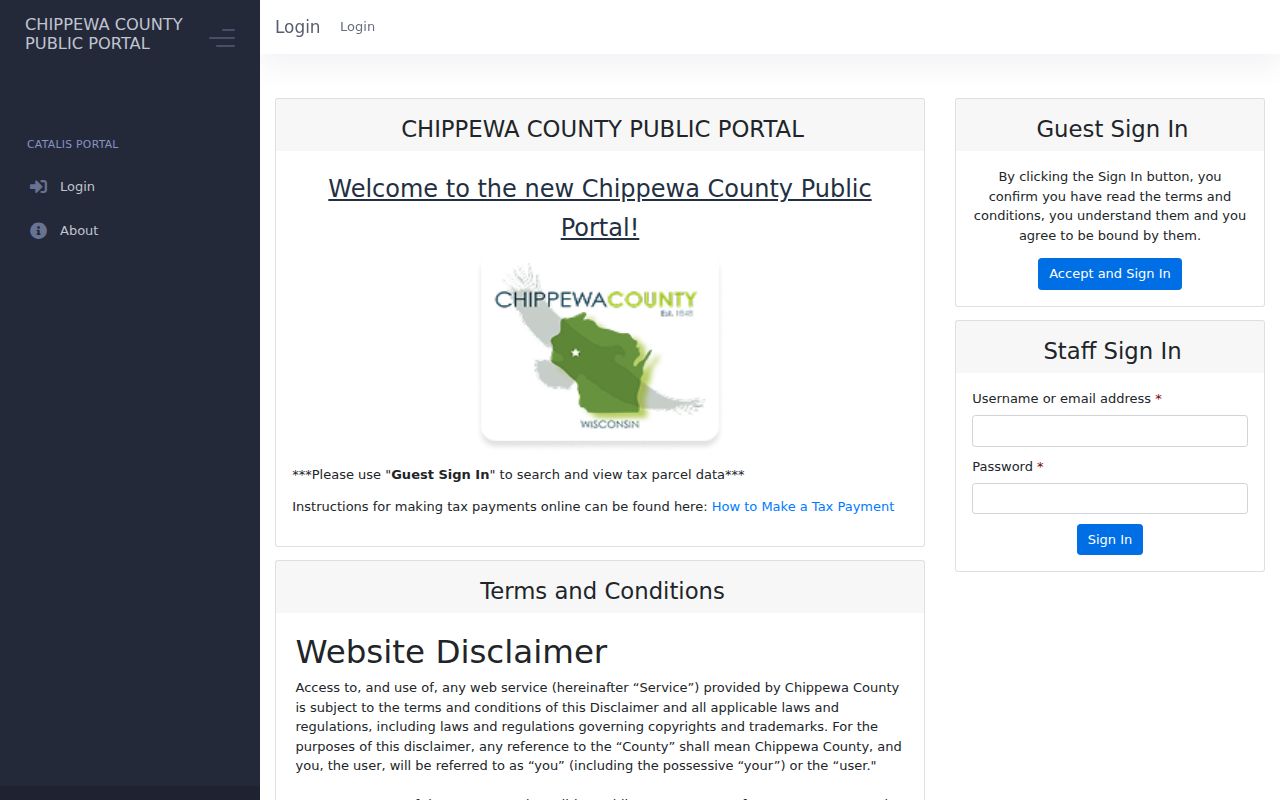
The guest access screen is the doorway, not a bill or payment history. The public instructions give no tax-history cutoff, so older years may call for the Treasurer.
Looking Up a Chippewa County Tax Bill
Start with the parcel number from a prior bill when you can. An address search can return similar road names or more than one tax district, so confirm the account's municipality and legal description before trusting it. The Treasurer's portal instructions tell users to review results before adding parcels to the cart. Keep in mind that a cart is a payment step. It does not prove the selected result belongs to the intended property.
- Sign in as a guest and search by parcel, short owner name, or house number and street name.
- Compare the result’s parcel, situs, municipality, and legal description with another county source.
- Review tax items and payment status that are visible for the account; do not assume older years are present.
- For a missing bill, delinquency detail, or exemption record, contact the Treasurer at 715-726-7960.
- Assessed value
- The local value used to assess the parcel for tax purposes.
- Assessment ratio
- Assessed value divided by current market value, as described by Wisconsin DOR.
- Equalized value
- A DOR measure used to compare and apportion value across taxing jurisdictions, not a parcel sale price.
- Tax district
- The local jurisdiction context for the bill; confirm the actual parcel district in the record.
Tax payment and assessed value answer different questions. The Treasurer confirms balances, payments, and delinquency entries. The municipal assessor handles valuation records and exemptions. The county's portal instructions document the parcel, owner, and address search routes, but no fixed tax-history cutoff or every result-card label. If a bill is missing from the portal, give the Treasurer the parcel number and tax year rather than guessing from a neighboring account.
Chippewa County Assessment and Market Value
Wisconsin's Guide for Property Owners defines an assessment ratio. It equals assessed value divided by current market value. A tax bill's estimated fair market value comes from dividing assessed value by the taxation district's average assessment ratio. Required rounding then applies. That estimate is anchored to January 1 of the assessment year. It is not a fresh appraisal for today's sale. A municipal average ratio does not make every parcel uniform. Individual parcels need not sit at the same fraction of their assessment. Homes, farms, commercial sites, and vacant land can each sit far from the average. Chippewa County has no single countywide ratio covering all its towns, villages, and cities. Check the DOR report for the parcel's actual taxing district. Then use sale evidence relevant to that property. The Wisconsin DOR property-owner guide describes the ratio and assessment review process.
Chippewa County DOR Ratio Reports
The Department of Revenue publishes municipal assessment ratios and statistical reports. It also releases equalized values, tax-incremental-district values, net new construction, and major-class compliance. These measures show how a community's assessments compare with usable sale data. They are not individual appraisals. Any value comparison should use the municipality or taxation district on the parcel account.
The DOR reporting timetable shifts from year to year. Its 2025 information describes a preliminary publication followed by final certification. Do not lift a ratio from a nearby city. Do not apply an old county figure to a current parcel. Use the municipality report for the assessment year that matters.
Browse the Wisconsin DOR ratio and statistical reports when comparing local assessment levels.
Chippewa County Assessment Appeal Route
Begin a value dispute with the municipal assessor for the parcel's tax district. Gather the assessment notice, the parcel record, and recent comparable sales. Add photos and a clear account of the feature or condition at issue. The county publishes no single countywide open-book date. It also publishes no Board of Review hearing calendar, or local objection form. Each municipality controls its own notice and meeting schedule. Wisconsin DOR describes an objection to the Board of Review. It also covers the appeal routes that follow. A Board of Review decision may be appealed to circuit court under Wis. Stat. §70.47(13) within 90 days after notice by certiorari. Or it may go to DOR under §70.85 where that route applies. Those are post-decision paths, not the local first filing date. Check the current notice or ask the municipality for its open-book and objection schedule.
Do not guess the local deadline. Chippewa County’s research did not verify an annual countywide appeal date. Get the current objection form and deadline from the municipality that assesses the parcel, then follow the Wisconsin DOR guide.
Exemptions and Credits on a Local Record
Exemption fields stay hidden on the live card. The county instructions publish no parcel-level list of exemptions or credits either. So do not expect the portal to show a homestead flag or a veteran benefit. Do not expect every adjustment either. Ask the assessor what exemption records the parcel carries. Ask the Treasurer how any credit appears on the bill.
An exemption can change tax treatment without touching the recorded deed. The mapped parcel stays the same too. Keep the assessment and the bill as separate records. Note the year shown on each, since the portal's tax history depth is unstated.
Chippewa County Delinquent Tax Leads
The county Property Information hub links tax-deed lands and other property resources. The Treasurer handles collection and delinquency. No public delinquent-list URL, sale calendar, redemption period, or full tax-deed procedure is published online. Get the current list from the Treasurer directly. An old notice or an unsourced date is not reliable.
For a distressed-property question, compare the tax account with the deed index. Also check any recorded tax certificate or deed. A court or sheriff file may matter too. The Sheriff Sales page covers foreclosure auctions, which are distinct from a tax-deed process.
When to Contest a Chippewa Assessment
Ask the assessor how the value was built. Find out which sales were used. Then compare like property in the same taxing district. Raise points that can be checked. These include acreage, structure area, condition, or a legal-description error. The appeal targets the assessment record. A recent sale can help, but it does not automatically set the taxable value.
The state assessment guide explains the formal process. The municipality's notice supplies its current open-book and meeting details. Keep proof of delivery and copies of every piece of evidence. If the bill and the portal disagree, call Treasurer Patricia Schimmel's office at 715-726-7960 or email retax@chippewacountywi.gov. The Treasurer handles the account and payment side, while the assessor handles the value.
A delinquent balance is an account status, not a parcel-title record. Confirm the tax year and payment posting with the Treasurer before trusting a third-party notice or an older printout. A sheriff sale notice is a separate foreclosure process. It has its own case, bidder terms, and cancellation status. Check it on the Sheriff Sales page and match it to the parcel. Never infer it from a tax balance.
Appeal dates depend on the municipality. The research reviewed for this guide did not verify a current local objection deadline or form. Contact the municipal assessor for the notice, filing window, and Board of Review details. A separate circuit-court certiorari route under Wis. Stat. § 70.47(13) generally has a 90-day period after notice of the Board's decision; that is not the local objection deadline.